
Opis
Adding Google Analytics to your website never has been easier. Just add your analytics ID and the correct asynchronous Javascript code is added to every page. No fiddling around anymore with manually pasting the code in your template.
Slike ekrana
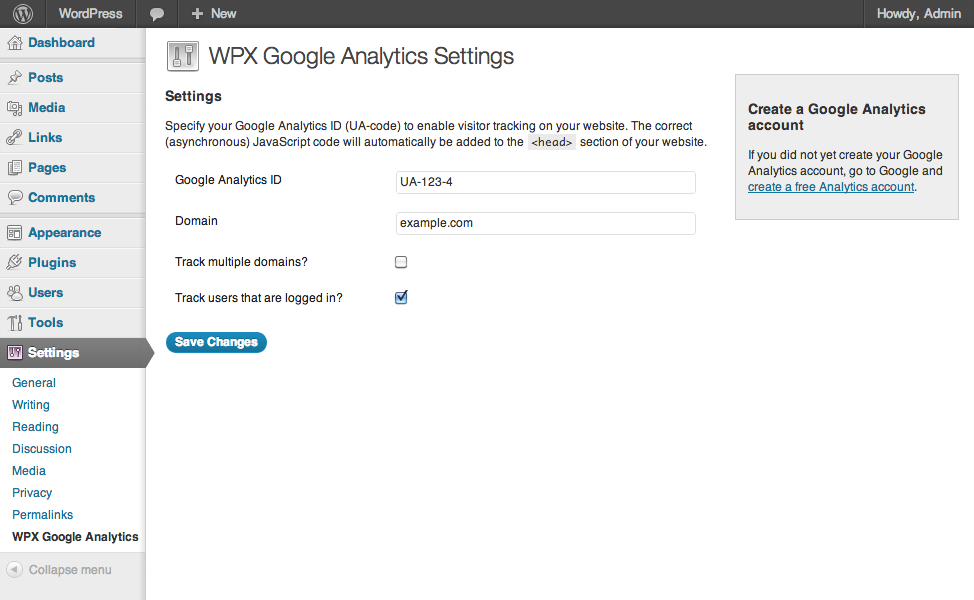
Google Analytics Settings
Instalacija
- Upload
wpx-google-analytics.phpto the/wp-content/plugins/directory - Activate the plugin through the ‘Plugins’ menu in WordPress
- Go to
Settings>WPX Google Analyticsand paste in your analytics ID
Recenzije
Nema recenzija za ovaj dodatak.
Saradnici i programeri
“WPX Google Analytics” is open source software. The following people have contributed to this plugin.
Doprinositelji
Prevedi “WPX Google Analytics” na vaš jezik.
Zainteresirani za razvoj?
Pregledajte kôd, pogledajte SVN spremišteili se pretplatite na dnevnik razvoja od RSS.
Zapis promijena
1.1
- Language support added
1.0.2
- Cleaned up the code, removed debug statements that caused issues on certain installations.
1.0.1
- Added: Forbidden characters are stripped from the domain.
1.0
- First public release of the plugin.