

Opis
Analog Clock Widget plugin allows you to create an unlimited number of different analog clocks. The plugin based on SVG Raphaël – JavaScript Library.
To be able to add any time zone, you need to have a username in geonames.org.
Read more on http://plugins.mcnika.com/analog-clock-widget-documentation/.
Slike ekrana
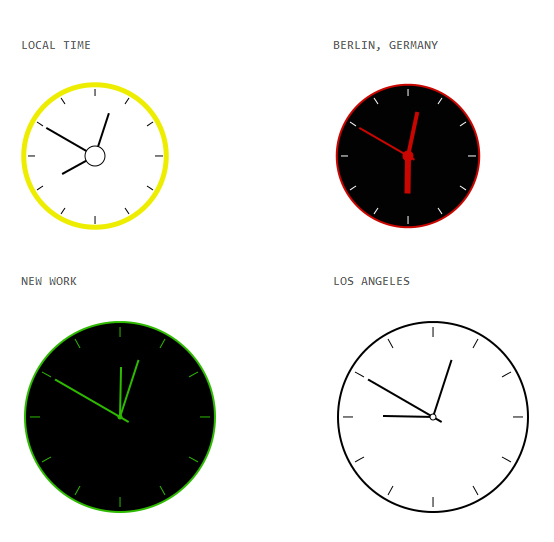
The Analog Clock Widget configuration dialog. 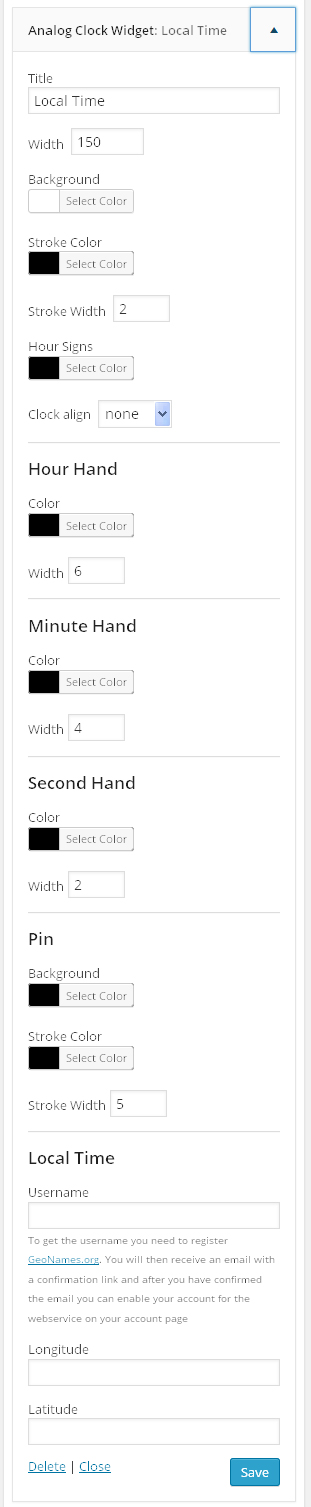
Front end of the widget.
Instalacija
Install the plugin just like any other WordPress plugins. There are two ways to do that:
- Using WordPress built-in installer From the Administration Panels, click on the Plugins tab. Go to Add New->Upload Plugin. Choose the plugin's .zip file from your computer and click Install Now. Then click activate to activate the plugin.
- Traditional manual installation. Upload analog-clock-widget folder to your server in the wp-content/plugins folder of your WordPress installation. Access the Plugin Panel in your Administration Panel. Scroll down through the list of Plugins to find the newly installed Plugin. Click on the Activate link to turn the Plugin on.
ČPP
- Installation Instructions
-
Install the plugin just like any other WordPress plugins. There are two ways to do that:
- Using WordPress built-in installer From the Administration Panels, click on the Plugins tab. Go to Add New->Upload Plugin. Choose the plugin's .zip file from your computer and click Install Now. Then click activate to activate the plugin.
- Traditional manual installation. Upload analog-clock-widget folder to your server in the wp-content/plugins folder of your WordPress installation. Access the Plugin Panel in your Administration Panel. Scroll down through the list of Plugins to find the newly installed Plugin. Click on the Activate link to turn the Plugin on.
- How can I add World clock to my website
-
- Go to http://www.geonames.org
- Create a new user account (Note: Username may only include characters, digits and underscore. You will then receive an email with a confirmation link and after you need to confirm the email you can enable your account for the webservice on your account page.)
- Log in to your WordPress admin area and go to Appearance > Widgets
- Find “Analog Clock Widget” and click the “Add Widget” button next to the widget to add to your sidebar
- Add your “Username” in “Username” field in the widget
- Add Longitude/ Latitude of the location, click on save button.
Recenzije

24. Aprila 2017.
2 replies
Customisable animated clock plug-in for WordPress – lightweight plugin works really well and clocks look great but you will need to disable page cacheing to get it to work accurately. Now with ability to add a clickable link on the clock face.
Saradnici i programeri
“Analog Clock Widget” is open source software. The following people have contributed to this plugin.
Doprinositelji
Prevedi “Analog Clock Widget” na vaš jezik.
Zainteresirani za razvoj?
Pregledajte kôd, pogledajte SVN spremišteili se pretplatite na dnevnik razvoja od RSS.
Zapis promijena
1.3
- CSS improvement
1.2
- Small improvement
1.1
- Added link and target fields
- Fix time after sleep and hibernate issues
1.0
- Release