Idi na sadržaj
WordPress.org

Bosanski

  • Teme
  • Plugini
  • News
  • Podrška
  • O nama
  • Projekti
  • Get WordPress
Get WordPress
WordPress.org

Plugin Directory

WP ShareX

  • Submit a plugin
  • My favorites
  • Log in
  • Submit a plugin
  • My favorites
  • Log in

Ovaj dodatak nije testiran s najnovija 3 glavna izdanja WordPress-a. Možda se više ne održava ili se ne podržava i može imati problema sa kompatibilnošću kada se koristi sa novijim verzijama WordPress-a.

WP ShareX

Od joomdev
Skini
  • Detalji
  • Recenzije
  • Instalacija
  • Razvoj
Podrška

Opis

WP ShareX is an advanced WordPress Social Share plugin enables you to add social share buttons on Posts and pages. You can assign buttons on Top of the Content, Bottom of the Content, Sidebar and on media.

Features of WP Social Share by JoomDev
1. 24 Social Network
2. You have the option to select either Icons or Icons with Text
3. 3 Button Shapes
4. 4 Button Animations
5. URL Shortening Option with Bitly and Goo.gl
6. Embed Twitter Handle and desired tags with Tweet
7. 4 Button display Location e.i. Top of the Content, Bottom of the content, Media, and Sidebar
8. Hide On Mobile Ability
9. Default Share Count Option. (You can play with your user's mind)
10. Encourage your Audience to share your content with Share Incentive Feature

Slike ekrana
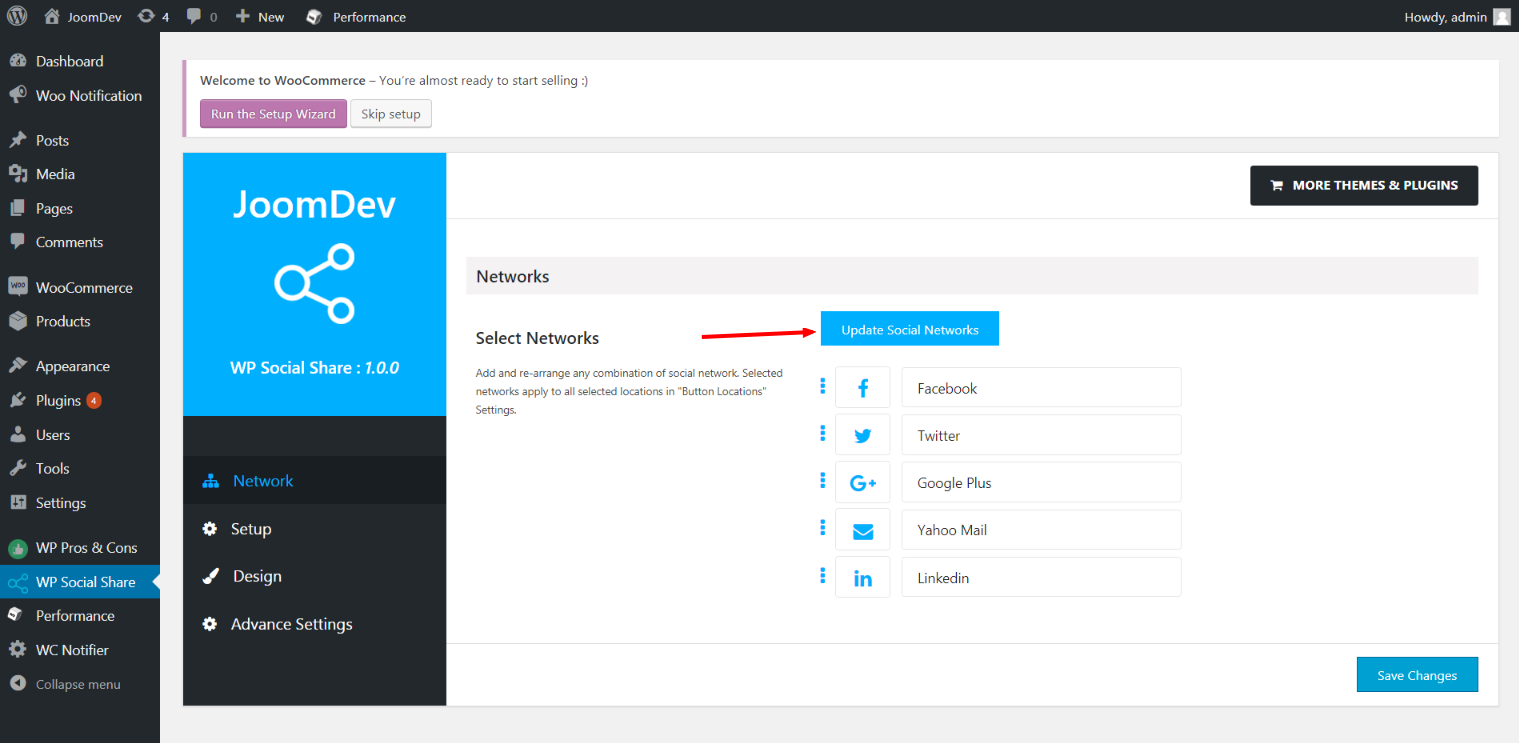
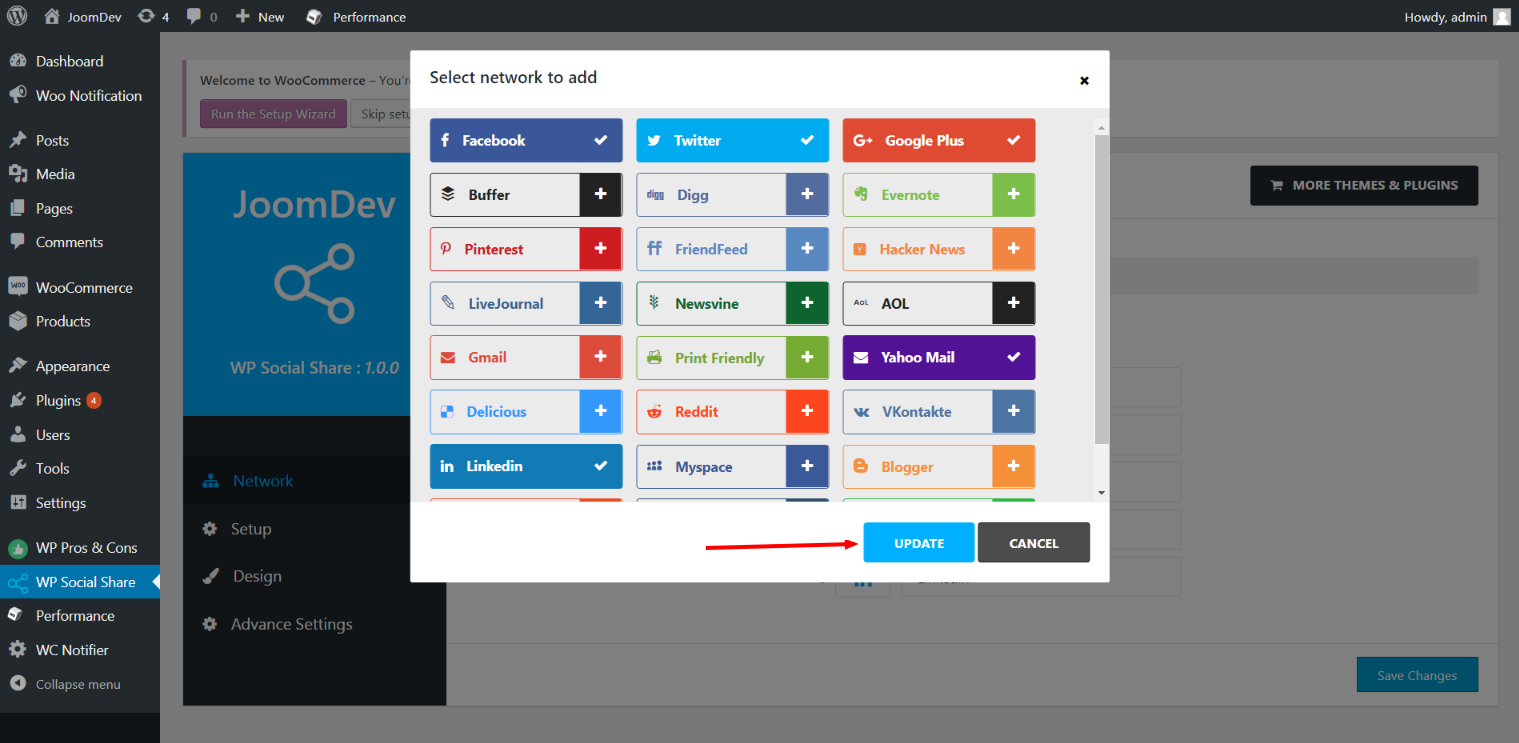
  • Click here to select networks
  • Update networks after selecting them.
  • Setup plugin and api settings.
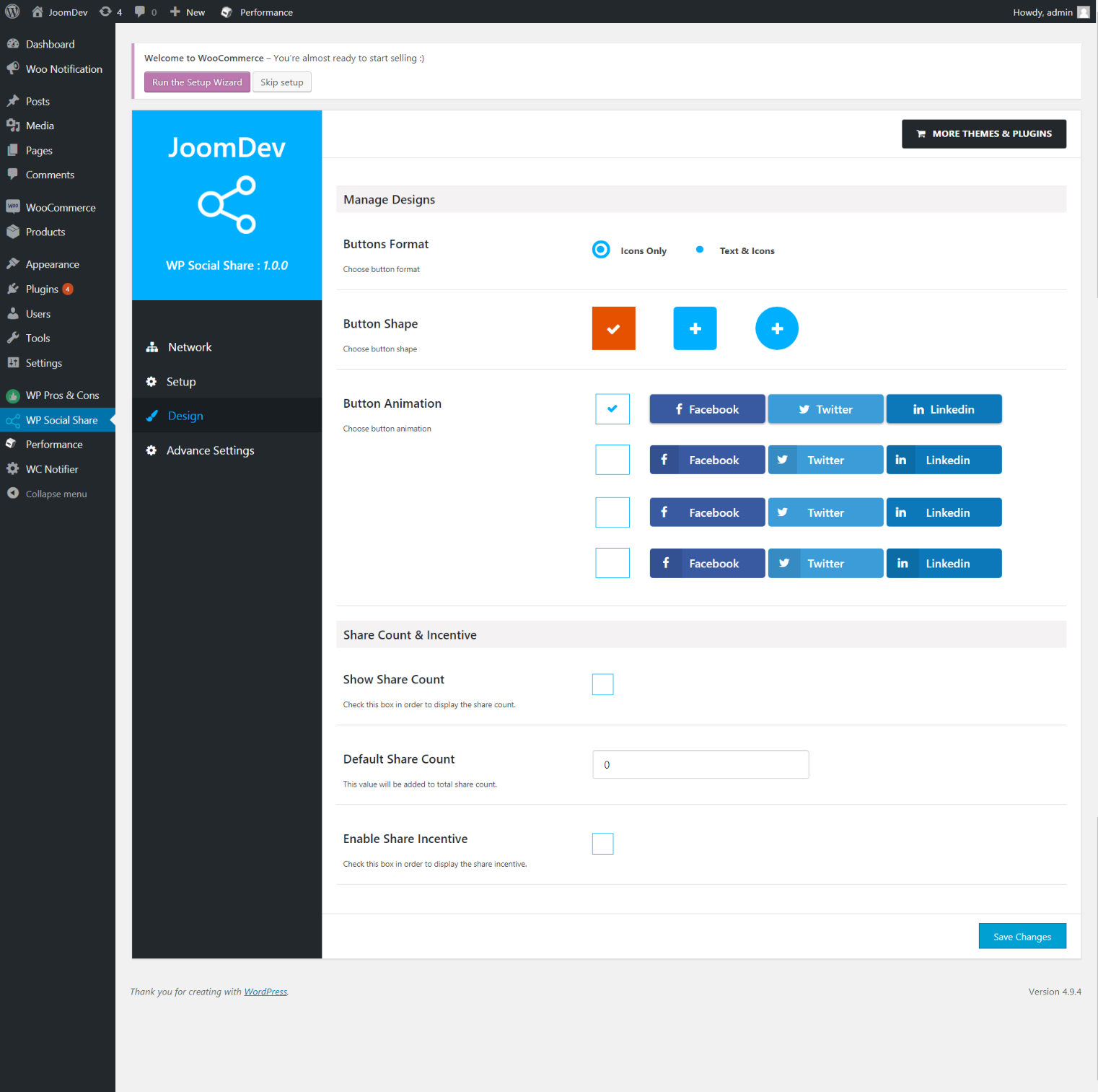
  • Select any design to display the buttons.
  • For mobile

Instalacija

Way 1:
1. Upload joomdev-wp-social-share.zip to the /wp-content/plugins/ directory
2. Extract the zip file.
3. Activate the plugin from wordpress plugins page. And you have done.

Way 2:
1. Go to plugins page in admin.
2. Click on Add New button.
3. Search for “WP ShareX”.
4. Click install on WP Social Share.
5. Activate the plugin.

ČPP

Installation Instructions

Way 1:
1. Upload joomdev-wp-social-share.zip to the /wp-content/plugins/ directory
2. Extract the zip file.
3. Activate the plugin from wordpress plugins page. And you have done.

Way 2:
1. Go to plugins page in admin.
2. Click on Add New button.
3. Search for “WP ShareX”.
4. Click install on WP Social Share.
5. Activate the plugin.

How do I use this plugin?

See description.

Recenzije

Excellent!

Arnab Mohapatra 16. Marta 2018. 1 reply
Incredible plugin. It allows to add any sharing button on the page simply and fast!
Read all 1 review

Saradnici i programeri

“WP ShareX” is open source software. The following people have contributed to this plugin.

Doprinositelji
  • joomdev

Prevedi “WP ShareX” na vaš jezik.

Zainteresirani za razvoj?

Pregledajte kôd, pogledajte SVN spremišteili se pretplatite na dnevnik razvoja od RSS.

Zapis promijena

1.0.0

  • New Plugin initialized.

Meta

  • Version 1.0.0
  • Last updated prije 8 godina
  • Active installations 10+
  • WordPress version 3.0 ili viša
  • Tested up to 4.9.29
  • Language
    English (US)
  • Tags
    sharesocialsocial share
  • Napredni pogled

Ocjene

5 out of 5 stars.
  • 1 5-star review 5 stars 1
  • 0 4-star reviews 4 stars 0
  • 0 3-star reviews 3 stars 0
  • 0 2-star reviews 2 stars 0
  • 0 1-star reviews 1 star 0

Your review

See all reviews

Doprinositelji

  • joomdev

Podrška

Imate nešto za reći? Trebate pomoć?

Pogledaj forum podrške

Pokloni

Da li bi ste željeli da podržite napredovanje ovog proširenja?

Pokloni ovom proširenju

  • About
  • News
  • Hosting
  • Privacy
  • Showcase
  • Themes
  • Plugins
  • Patterns
  • Learn
  • Support
  • Developers
  • WordPress.tv ↗
  • Get Involved
  • Events
  • Donate ↗
  • Five for the Future
  • WordPress.com ↗
  • Matt ↗
  • bbPress ↗
  • BuddyPress ↗
WordPress.org
WordPress.org

Bosanski

  • Visit our X (formerly Twitter) account
  • Visit our Bluesky account
  • Visit our Mastodon account
  • Visit our Threads account
  • Visit our Facebook page
  • Visit our Instagram account
  • Visit our LinkedIn account
  • Visit our TikTok account
  • Visit our YouTube channel
  • Visit our Tumblr account
Kod je poezija.
The WordPress® trademark is the intellectual property of the WordPress Foundation.