

Opis
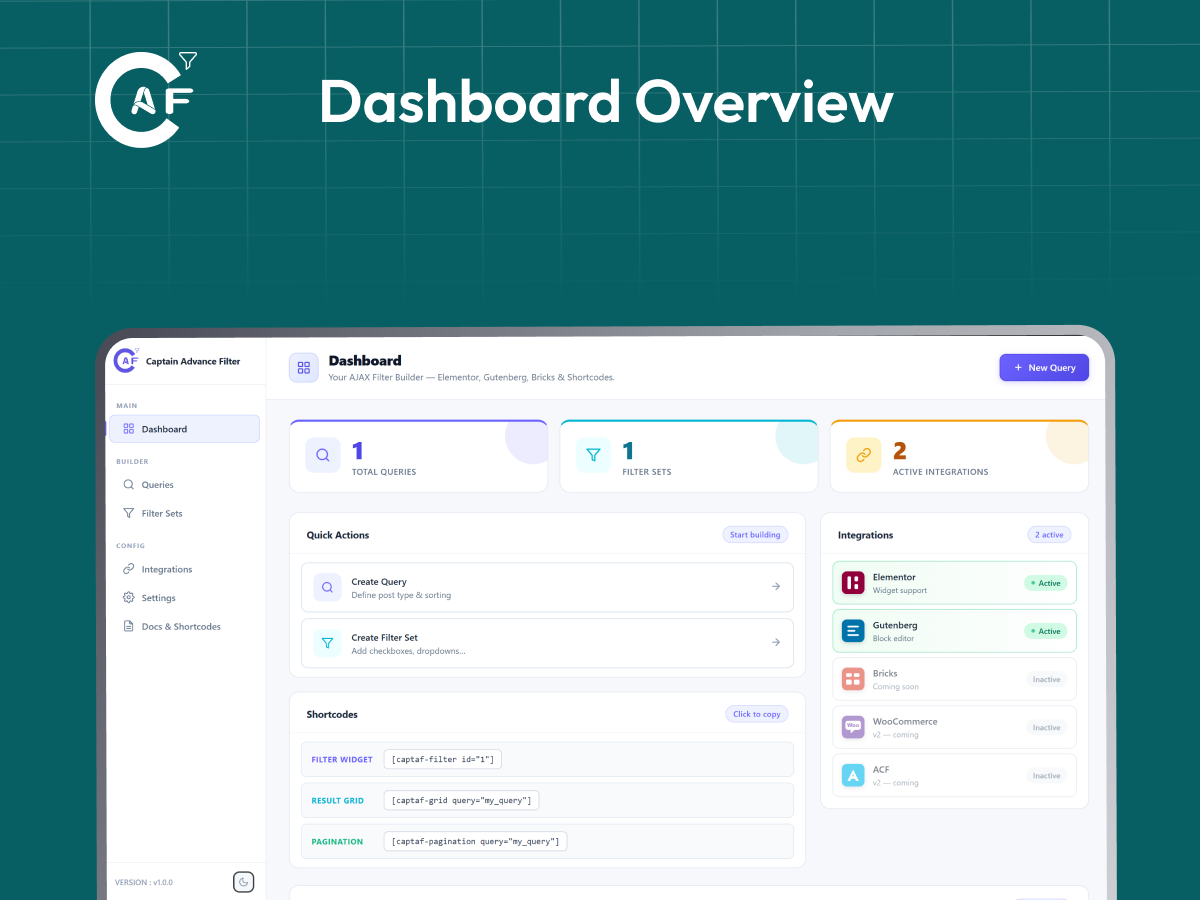
Captain Advance Filter lets you build AJAX-powered filter and search experiences for any post type. Create custom queries and filter sets — then embed them via shortcodes, Gutenberg blocks, or Elementor widgets. No coding required.
Core Features:
- AJAX filtering and pagination — no page reload
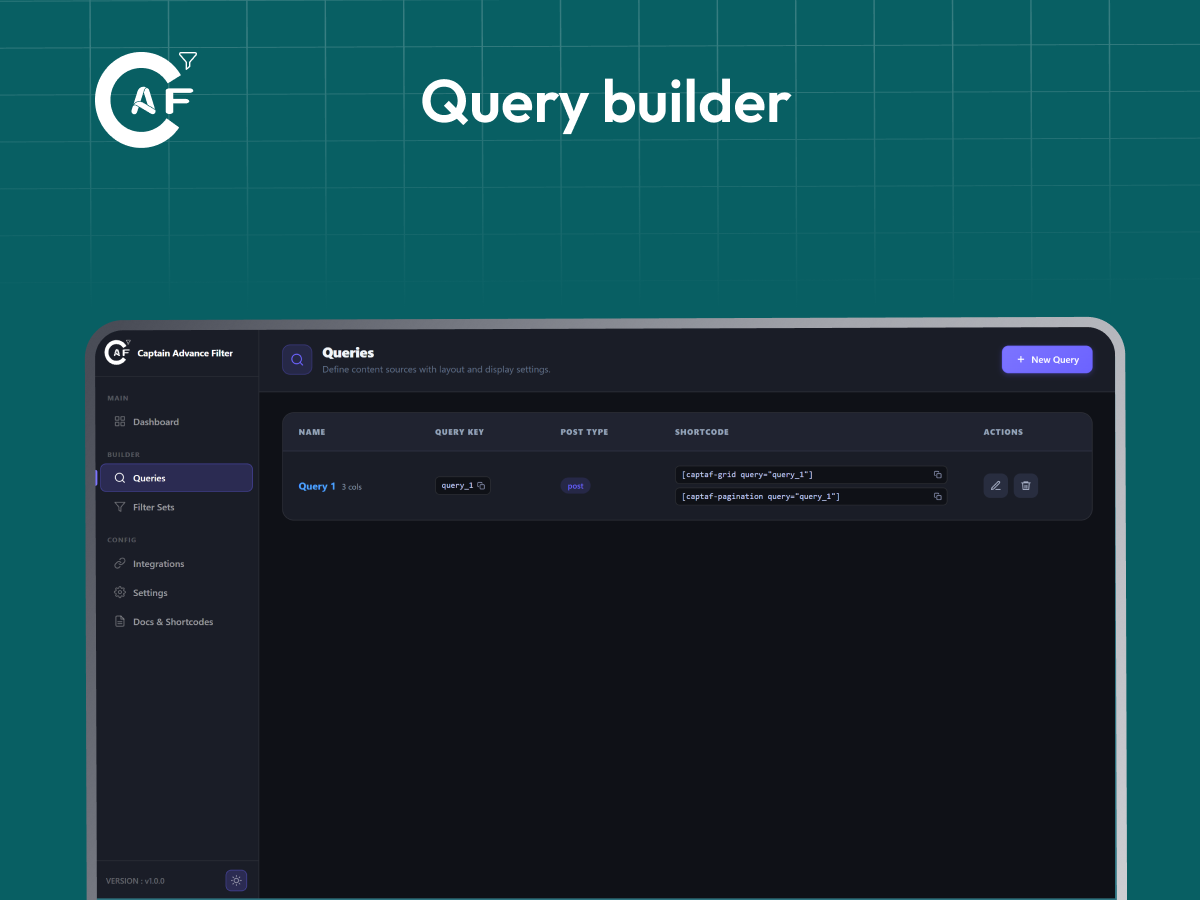
- Visual Query Builder — pick a post type, set ordering, and define which content gets shown
- Filter Set Builder — combine multiple filter fields and link them to a query
- Filter types: Checkbox, Radio, Dropdown, Range (slider), Search, A-Z alphabetical, Date Picker, and Woo Rating (WooCommerce star rating)
- Display styles for Checkbox/Radio: plain list, pill Buttons, Color Swatches, or Image Swatches
- Taxonomy and meta-based filtering with WP_Query under the hood (tax_query / meta_query)
- Pagination styles: numbered pagination, load more button, and infinite scroll
- Optional result caching via WordPress transients for faster repeated queries
- React-powered admin dashboard with a clean, modern UI, including Dark Mode
WooCommerce Compatibility:
- Woo Rating filter — filter products by “N stars & up” using WooCommerce's stored average rating
- Color Swatch and Image Swatch display styles for product attribute filters (e.g. color, brand), with automatic fallback when no swatch plugin data is set
- WooCommerce-aware “Shop Card” result card style — shows price, sale badge, and an Add to Cart button
{{price}},{{sale_badge}}, and{{add_to_cart}}tokens available in custom card templates when filtering Products
Shortcodes:
[captaf-filter id="1"]— render a filter set[captaf-grid query="query_key"]— render the filtered content grid[captaf-pagination query="query_key"]— render pagination controls[captaf-count query="query_key"]— render the result count
Builder Integrations:
- Elementor — dedicated widgets for Filter, Grid, and Pagination, fully stylable in the Elementor editor
- Gutenberg — native blocks for Filter, Grid, and Pagination
- Bricks Builder — support coming soon
Performance:
- Lightweight — admin and frontend assets load only on the pages that actually use the plugin
- No jQuery dependency on the frontend
Slike ekrana
Blokovi
Ovaj dodatak omogućava 3 bloka.
- Filter
- Grid
- Pagination
Instalacija
- Upload the plugin folder to
/wp-content/plugins/ - Activate the plugin from the Plugins screen in WordPress
- Go to Captain Advance Filter in your admin menu
- Create a Query, then a Filter Set linked to that query
- Embed using
[captaf-filter id="1"]and[captaf-grid query="your_query_key"]
ČPP
-
Does it work without Elementor?
-
Yes. Shortcodes and Gutenberg blocks are supported out of the box. Elementor is an optional integration.
-
Does it work with WooCommerce?
-
Yes. Filter Products by attribute (with Color/Image Swatch or Button display styles), price (Range filter), and star rating (Woo Rating filter). The “Shop Card” result style also shows price, sale badge, and an Add to Cart button. WooCommerce is optional — the plugin works on any post type without it.
-
Can I filter custom post types?
-
Yes. Any publicly viewable post type registered in WordPress can be used as a query source.
-
Are the public REST endpoints secure?
-
Yes. The
/filterendpoint verifies that the queried post type is publicly viewable before returning results. The/filter-optionsendpoint only exposes options for publicly queryable taxonomies. No private data is accessible through these endpoints. -
Do I need to know how to code?
-
No. Everything — queries and filter sets — is configured through the visual admin dashboard. Shortcodes are provided automatically once you create a query or filter set.
-
Will this slow down my site?
-
No. Plugin assets are only enqueued on pages where you actually use a shortcode, Gutenberg block, or Elementor widget from Captain Advance Filter.
Recenzije
Nema recenzija za ovaj dodatak.
Saradnici i programeri
“Captain Advance Filter” is open source software. The following people have contributed to this plugin.
Doprinositelji
“Captain Advance Filter” je prijeveden na 9 dijalekata. Zahvala prevodiocima za njihov doprinos.
Prevedi “Captain Advance Filter” na vaš jezik.
Zainteresirani za razvoj?
Pregledajte kôd, pogledajte SVN spremišteili se pretplatite na dnevnik razvoja od RSS.
Zapis promijena
1.2.0
New filter types, WooCommerce compatibility, and Dark Mode fixes.
- Added: New “Date Picker” filter type — start/end date range filtering against the publish date.
- Added: New “Woo Rating” filter type — “N stars & up” filtering against WooCommerce's stored product average rating (requires WooCommerce).
- Added: New “Display Style” option for Checkbox and Radio filters — render the same taxonomy options as a plain List (default), pill-style Buttons, Color Swatches, or Image Swatches, instead of adding separate filter types for each. Color/Image swatches automatically pick up swatch data from common WooCommerce attribute-swatch plugin term meta, with a graceful fallback (auto-generated color, or label text) when none is set.
- Fixed: Range filter's Min/Max values were never actually sent to the results query — the values you typed had no effect. They're now correctly applied, and only sent once you actually narrow the range away from its full bounds.
- Fixed: Admin dashboard toggle switches (e.g. Settings Enable Query Cache) used a hardcoded light-gray track color, so they still looked washed-out/white in Dark Mode instead of adapting to the theme.
- Fixed: Disabled fields (e.g. “Cache TTL” when “Enable Query Cache” is off) had no disabled styling at all — no dimming, no “not-allowed” cursor — so they looked editable even though clicking/typing did nothing.
- Fixed: The active tab indicator on Settings and Docs pages (e.g. “General” vs “Performance”) relied on a drop shadow to show which tab was selected — invisible in Dark Mode, making it unclear which tab was active. Active tabs now get a clearly visible tinted background and border in Dark Mode.
- Fixed: The divider line under toggle rows was hardcoded to a near-white color, showing as a bright white line in Dark Mode instead of a subtle divider.
- Fixed: Tab hover state in Dark Mode showed a bright white flash (inherited from the Light Mode hover style) instead of a subtle highlight.
- Fixed: Toggle row description text didn't have a Dark Mode color override.
- Fixed (frontend result cards — Classic, Minimal, Shop Card, Dark Overlay): card title, excerpt, and meta text colors were hardcoded instead of using the theme-aware card tokens, so they could become unreadable (dark text on a dark card) when a visitor's OS/browser was in Dark Mode.
- Fixed (frontend result cards): posts with no featured image rendered a completely unstyled, invisible placeholder box, making the grid look broken. Now shows a proper icon placeholder tile.
- Fixed (frontend result cards): the meta separator dot's CSS class didn't match the class actually rendered by the JS, so it was never styled.
- Fixed (frontend result cards): the card border color was set but no border width/style was ever defined, so it had no visible effect.
- Improved: Completed translation-readiness (
wp.i18n) coverage across the admin dashboard — previously only partially applied to one screen, now covers every page, component, and error message. - Improved (frontend result cards): new cards appended via Load More / Infinite Scroll now fade and rise into place instead of popping in abruptly.
- Improved (frontend result cards): general visual polish across all four card styles — refined shadows, sale badge, price layout, buttons, and Dark Overlay gradient.
- Improved: Button/Color/Image display styles track their selected state via both CSS and JS, so the highlight still works correctly on older browsers without
:has()support.
Not included in this release (planned for later): a “Tabbing” category-switcher display style, and wishlist add/remove — both are on the roadmap.
1.1.0
WooCommerce-aware card styles, split filters across the page, and a mobile-friendly admin dashboard.
- Added: New “Card Style” tab in the Query editor — choose between Classic, Minimal, Shop Card (WooCommerce-aware, with price/sale badge/Add to Cart), and Dark Overlay layouts per query.
- Added: WooCommerce product data (price, sale status, Add to Cart) is now available to grid cards and custom card templates when the connected query targets Products.
- Added:
{{price}},{{sale_badge}}, and{{add_to_cart}}tokens for custom card templates. - Added:
onlyattribute on[captaf-filter](and matching “Only These Filters” fields in the Elementor widget and Gutenberg block) — show just specific filter(s) from a Filter Set. Place pieces of one filter set independently anywhere on the page (e.g. a dropdown in the header, checkboxes in the sidebar) — every piece still updates the same results grid. - Added: Filter Sets list now has a “Split into N individual shortcodes” toggle per row — expands to show each filter's own ready-made shortcode (with
only=already filled in) plus a Copy button, so you don't need to remember or type filter keys by hand. The same per-filter shortcode also shows inline in the Filter Set editor, next to each filter's Label/Key fields. - Added: Responsive mobile navigation for the admin dashboard — a hamburger menu opens an off-canvas sidebar on small screens.
- Changed: Filter Sets editor is now an inline page (matching Queries) instead of a popup modal — title swaps to “Edit Filter Set”, action button becomes “Back”.
- Fixed: Elementor widgets and Gutenberg blocks did not load their CSS/JS on the live frontend — only shortcode usage was detected before, so filters rendered unstyled and without AJAX on pages built with the Elementor widgets or Gutenberg blocks. Asset loading now also detects Gutenberg blocks and Elementor widget data correctly.
- Fixed: Plugin description referenced Bricks Builder as a supported integration without qualification. Updated to clearly state Bricks support is coming soon, matching the Builder Integrations section.
- Removed: Unused “Layouts” feature (database table, REST endpoint, and related Layout ID fields in the Elementor widget and Gutenberg block) that had no admin UI to create layouts and could never be used.
- Improved: All admin dashboard, block editor, and frontend JS strings are now translation-ready via
wp.i18n. - Improved: Deduplicated the compiled admin dashboard stylesheet, cutting its size by roughly 30% and fixing a broken CSS selector left over from a previous patch.
- Improved: Redesigned the per-filter shortcode callout to be properly theme-aware (fixes it looking broken/mismatched in dark mode) and visually clearer.
- Improved: Cleaned up redundant code in admin menu registration.
1.0.0
Initial stable release.
- Added six filter types: Checkbox, Radio, Dropdown, Range Slider, Search, A–Z Alphabetical
- Added three pagination modes: Numbered Pagination, Load More, Infinite Scroll
- Added Elementor widgets.
- Added Gutenberg blocks.
- Added Visual Query Builder for creating reusable post queries.
- Added Filter Set Builder with support for multiple filters.
- Added customizable grid layouts with column switcher support.
- Added AJAX filtering with live result updates.
- Added live result count shortcode.
- Added four frontend shortcodes:
[captaf-filter],[captaf-grid],[captaf-pagination],[captaf-count] - Added caching support for improved performance.
- Added React-powered admin dashboard.
- Added integrations page and plugin settings.
- Added REST API for frontend filtering and admin management.
- Added conditional asset loading for better frontend performance.
- Added security hardening and input sanitization.
- Added dark and light theme groundwork for the admin dashboard (theme switcher UI present, coming soon).