

Opis
wpDiscuz transforms the native WordPress comment system into a fast, modern, and interactive discussion experience while keeping your comments and data in your own WordPress database.
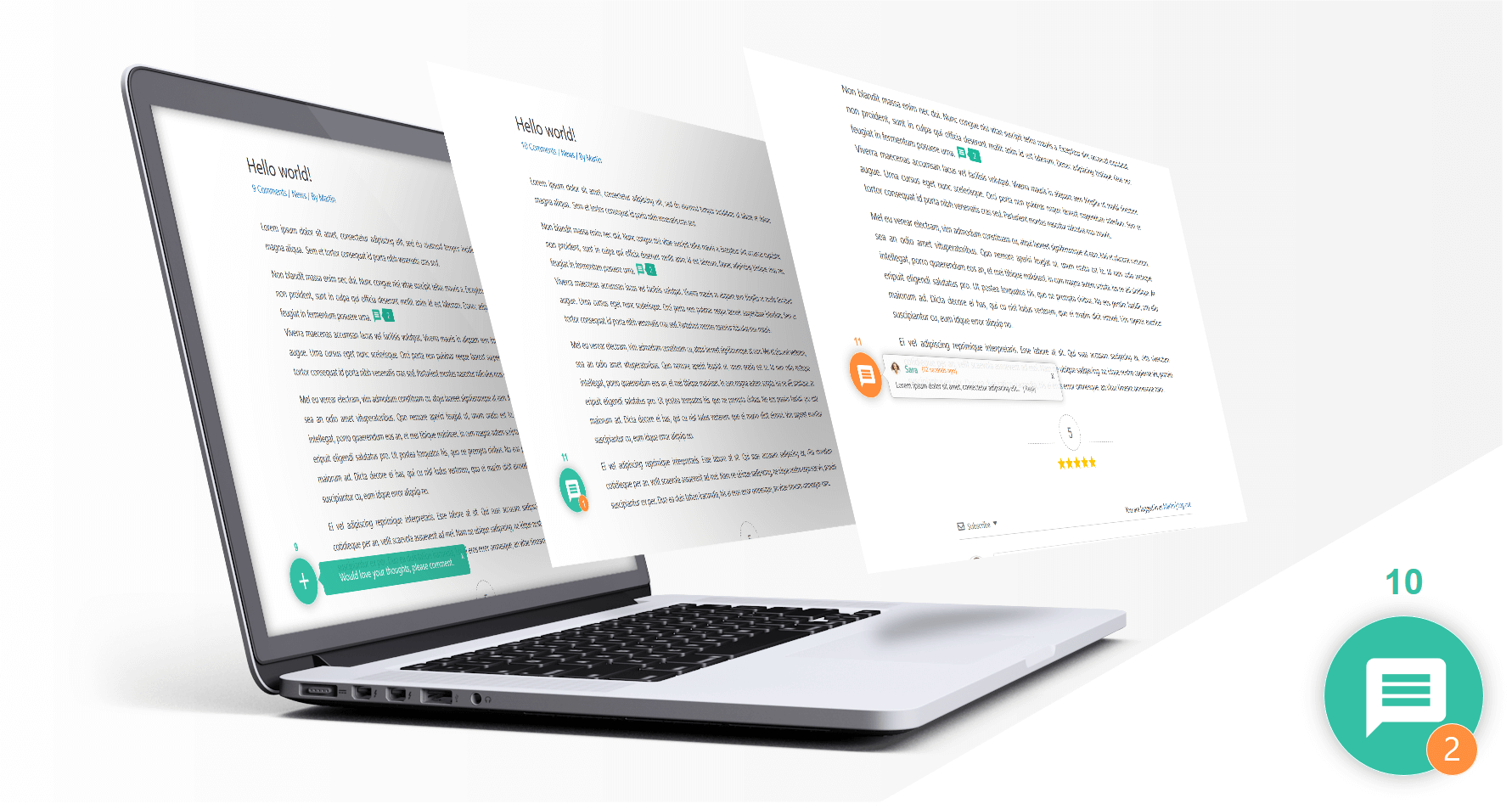
Add AJAX comments, live comments, threaded comments, comment voting and rating, inline comments, comment subscriptions, social login, custom comment forms, lazy loading, and modern engagement features without moving your community to an external commenting service.
wpDiscuz is a powerful Disqus alternative for WordPress and is designed for blogs, news websites, magazines, communities, membership sites, and WooCommerce stores.
- wpDiscuz Demo: https://wpdiscuz.com/
- Documentation: https://wpdiscuz.com/docs/
- Support Forum: https://wpdiscuz.com/community/
- GDPR Information: https://wpdiscuz.com/gdpr/
- wpDiscuz Add-ons: https://wpdiscuz.com/addons/
AJAX Comments
Enable fast AJAX-powered WordPress comments with instant comment posting, smooth interactions, and updates without unnecessary page reloads.
Live Comments
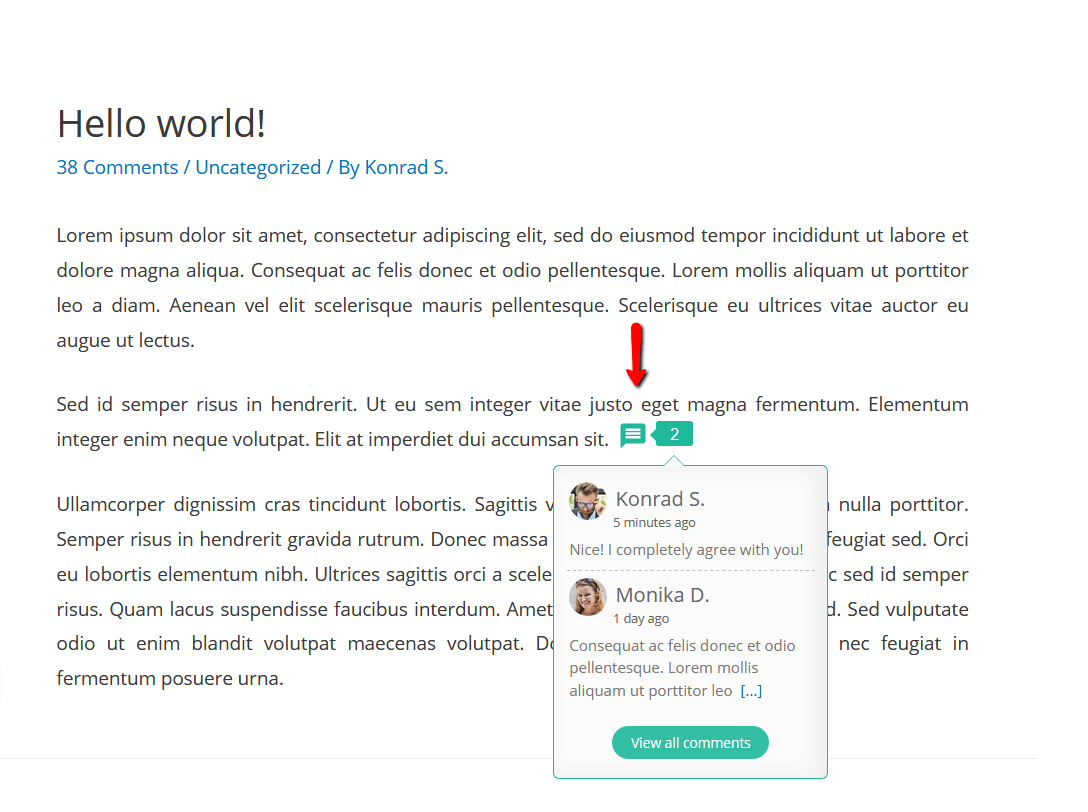
Create a more dynamic discussion experience with live comment updates, live notifications, and real-time comment bubble updates.
Threaded Comments and Replies
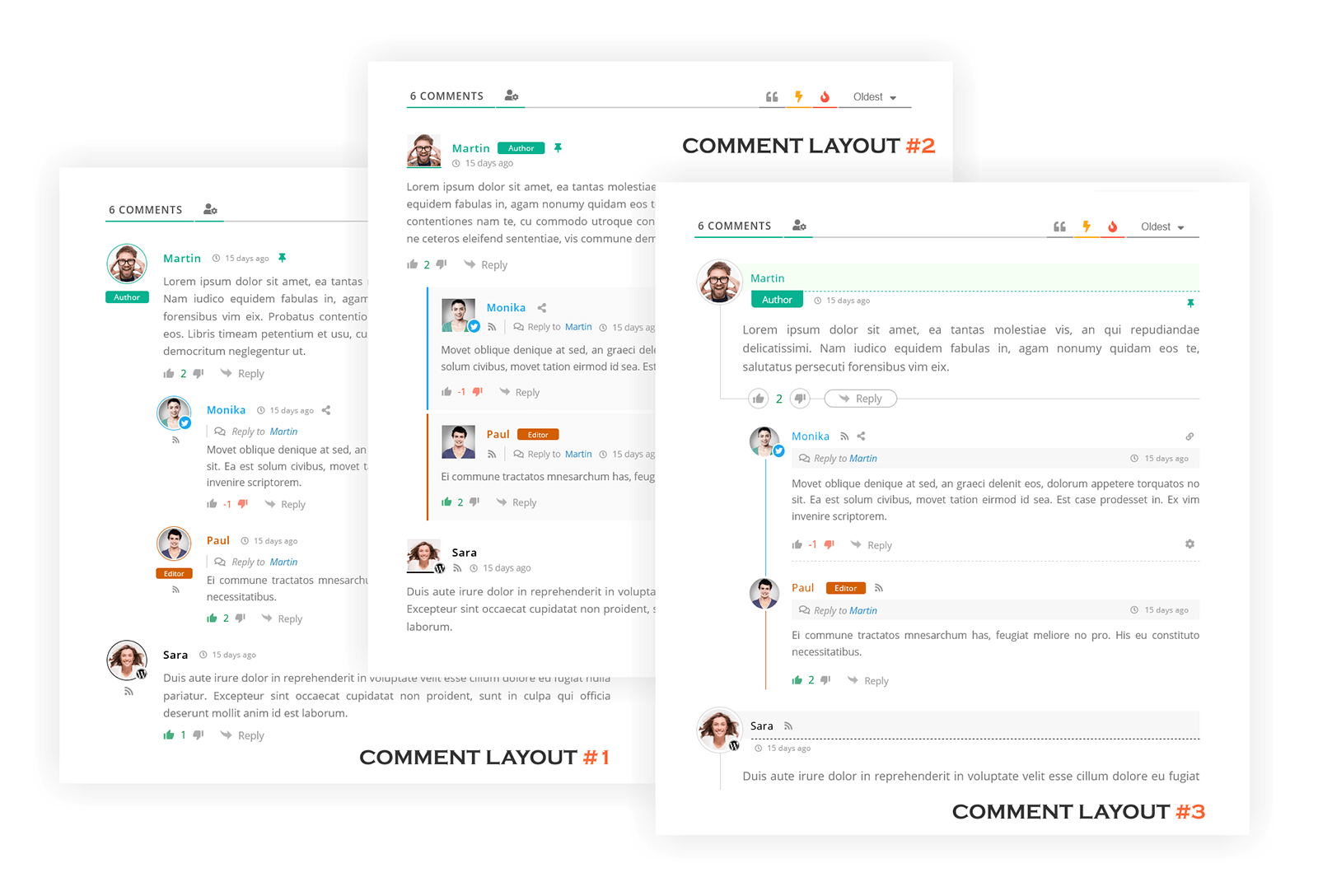
Organize discussions with multi-level threaded comments, nested replies, and reply controls that make long conversations easier to follow.
Comment Voting and Rating
Increase community interaction with positive and negative comment voting, comment rating, and post rating features.
Inline Comments and Feedback
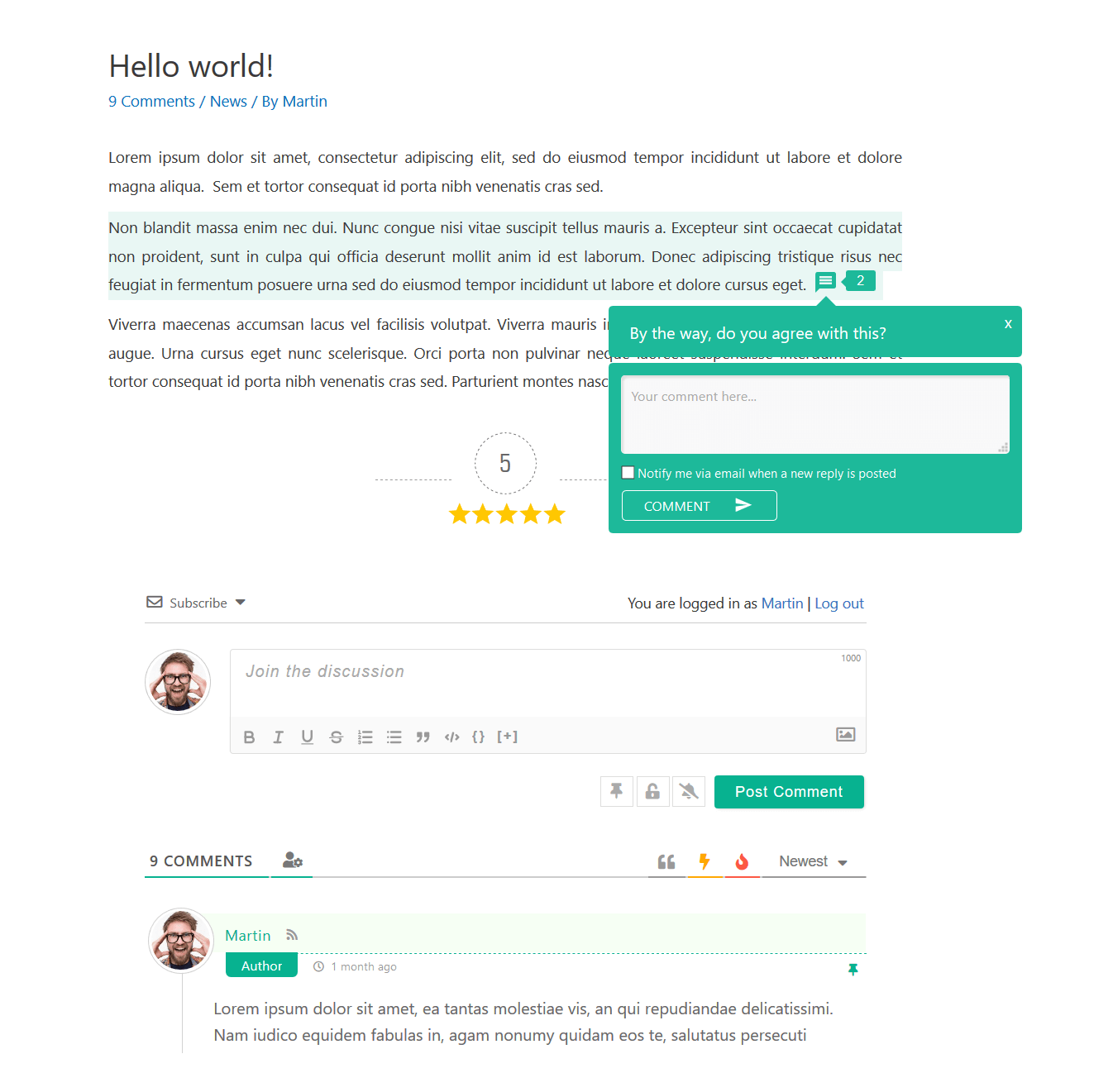
Let visitors comment directly on post content and provide inline feedback without relying only on the main comment form.
Comment Subscriptions and Notifications
Allow users to subscribe to comments and discussion updates and receive notifications about new activity, replies, and approved comments.
Custom WordPress Comment Forms
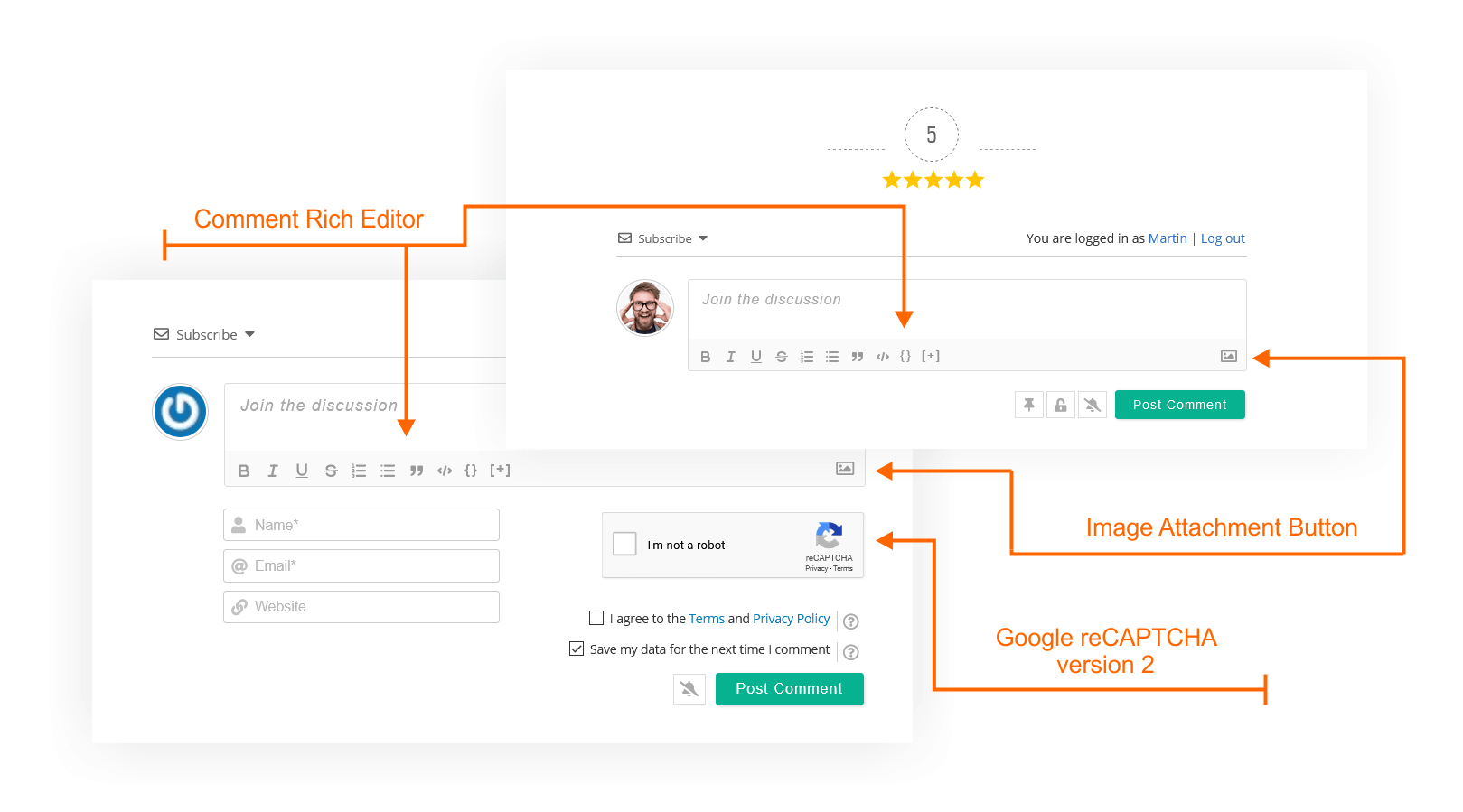
Create custom comment forms and custom fields for different post types, products, pages, communities, and discussions.
Social Login and Social Comments
Allow visitors to comment using supported social login providers for a faster and more convenient commenting experience.
WooCommerce Comments and Reviews
Improve WooCommerce product discussions with AJAX-powered product comments, ratings, and engagement features. Advanced WooCommerce review and rating functionality is available with the wpDiscuz – Reviews add-on.
Performance and Lazy Loading
wpDiscuz is optimized for performance with lazy-loaded comments, built-in caching, AJAX posting, Gravatar caching, and a performance-focused architecture.
Disqus Alternative for WordPress
Replace Disqus, Jetpack Comments, and other third-party comment systems while keeping full ownership of your comments and storing them in the native WordPress comment database.
More wpDiscuz Features
- Three modern WordPress comment layouts
- Comment sorting by newest, oldest, and most voted comments
- Comment editing for logged-in users and guests
- Automatic URL and image embedding in comments
- Long comment collapsing with “Read More” button
- WordPress date format integration
- Quick Tags support for comments
- Highlighting new comments since last visit
- Comment access control by user roles
- Option to load all comments on first page load
- Built-in Gravatar caching
- Sticky comments support
- Closed comment threads support
- User follow functionality
- Built-in comment and author caching system
- Responsive interface for desktop and mobile devices
wpDiscuz Add-ons
Extend wpDiscuz with optional add-ons for advanced reviews and ratings, media uploads, user notifications, front-end moderation, subscriptions, comment search, private comments, BuddyPress integration, GIPHY integration, voice commenting, and more.
Slike ekrana




Blokovi
Ovaj dodatak omogućava 1 blok.
- Comments – wpDiscuz Example block scaffolded with Create Block tool.
Instalacija
Important
If you use a cache plugin or CDN, clear all caches after installing or updating wpDiscuz so the latest plugin assets are loaded.
Installation
- Upload the plugin folder to the
/wp-content/plugins/directory. - Activate the plugin through the Plugins menu in WordPress.
- Open the wpDiscuz menu item in your WordPress admin dashboard to configure your comment system.
Updating to wpDiscuz 7
Please read the update documentation: https://wpdiscuz.com/docs/wpdiscuz-7/plugin-installation/update-to-wpdiscuz-7/
ČPP
-
What is wpDiscuz?
-
wpDiscuz is a WordPress comments plugin that enhances the native WordPress comment system with a modern, interactive commenting experience while keeping comments in your own database.
-
What is the best WordPress comments plugin?
-
wpDiscuz is one of the most popular WordPress comments plugins, combining AJAX comments, live commenting, inline comments, comment voting, subscriptions, custom comment forms, social login, and other engagement tools while keeping comments in the native WordPress database.
-
How do I enable AJAX comments in WordPress?
-
Install and activate wpDiscuz to add AJAX-powered comment posting and interactive comment loading without requiring visitors to reload the page after every action.
-
How do I replace Disqus with WordPress comments?
-
wpDiscuz is a Disqus alternative that uses the native WordPress comment system, allowing you to keep comments stored in your own WordPress database rather than relying on an external commenting service.
-
What happens to my existing WordPress comments?
-
Existing comments remain in the WordPress database and are displayed automatically by wpDiscuz. Uninstalling wpDiscuz does not remove your existing WordPress comments.
-
Where are wpDiscuz comments stored?
-
Comments are stored locally in your own WordPress database using the native WordPress comment system.
-
Does wpDiscuz support threaded comments and nested replies?
-
Yes. wpDiscuz supports multi-level threaded comments and nested replies to keep long discussions organized and easier to follow.
-
Can users subscribe to comments and replies?
-
Yes. wpDiscuz includes comment subscription and notification options so users can follow discussions and receive updates about new activity.
-
Can I create a custom WordPress comment form?
-
Yes. wpDiscuz supports custom WordPress comment forms and custom fields for different post types, products, pages, communities, and discussions.
-
Does wpDiscuz support inline comments?
-
Yes. wpDiscuz supports inline commenting and inline feedback, allowing visitors to interact directly with content inside a post.
-
Does wpDiscuz work with WooCommerce?
-
Yes. wpDiscuz can improve WooCommerce product discussions with AJAX-powered comments, ratings, and engagement features. Advanced WooCommerce review and rating functionality is available through the wpDiscuz – Reviews add-on.
-
Does wpDiscuz lazy load comments?
-
Yes. wpDiscuz can lazy load comments on scroll and also provides AJAX-based loading options to reduce the amount of comment content loaded during the initial page request.
-
Is wpDiscuz GDPR compliant?
-
wpDiscuz provides GDPR-related tools and guidance for site owners. See the wpDiscuz GDPR documentation for configuration details and information relevant to your site.
-
What should I do if I use a caching plugin or CDN?
-
After installing or updating wpDiscuz, clear your WordPress cache and purge your CDN cache so the latest plugin assets are loaded.
-
How do I protect WordPress comments from spam?
-
wpDiscuz includes built-in anti-spam features and works with WordPress comment moderation. It can also be used alongside Akismet and compatible CAPTCHA solutions for additional protection.
-
Does wpDiscuz affect site performance?
-
wpDiscuz includes AJAX comment loading, lazy-loading options, built-in comment and author caching, Gravatar caching, and other performance-focused features. Actual performance depends on factors such as traffic, comment volume, hosting, caching configuration, and enabled features.
-
Does wpDiscuz work with Gutenberg and the WordPress block editor?
-
Yes. wpDiscuz provides a Comments block for the WordPress block editor, so you can add wpDiscuz comments to Gutenberg-based content.
Recenzije


Saradnici i programeri
“Comments – wpDiscuz” is open source software. The following people have contributed to this plugin.
Doprinositelji

“Comments – wpDiscuz” je prijeveden na 16 dijalekata. Zahvala prevodiocima za njihov doprinos.
Prevedi “Comments – wpDiscuz” na vaš jezik.
Zainteresirani za razvoj?
Pregledajte kôd, pogledajte SVN spremišteili se pretplatite na dnevnik razvoja od RSS.
Zapis promijena
IMPORTANT!
Please remember to delete all caches and purge CDN after the update.
Comments – wpDiscuz v7.6.71 – 16.09.2026
- Fixed: The comment bubble and the live comment update never showed comments posted without an email address to visitors who have no email address themselves, visitors who have not commented yet and guests who comment anonymously. A visitor's own new comments are left out of these updates by their email address, and an empty address matched every comment posted without one, so anonymous commenters were hidden from each other and from everyone who has not commented. The email address is now only used when the visitor has one, a guest commenting anonymously keeps their own comments out of the update through the ones already on their screen.
- Fixed: The new comment message of the comment bubble described the newest comment of the post, even when the bubble was not notifying about that comment, the visitor's own comment or one already on their screen. It now describes the newest comment the visitor is being notified about, and is left out of the response when that comment cannot be read, a private comment an addon keeps from the visitor for instance, where it used to be built from nothing.
- Fixed: The Cookies Consent and Agreement checkbox labels were printed on the comment form, and on the comment edit form, without being escaped. The labels are cleaned when the form is saved, but that only applies to what is saved from then on, so a label stored before v7.6.13 kept whatever markup it was given and was still printed as markup to every visitor. The labels are now filtered where they are printed, the agreement label by the same rules its own save path allows and the cookies consent label by a narrow set that keeps links and inline formatting, so a label that still holds script no longer runs it. The field name is escaped in the wrapper class of the cookies consent and text area fields as well, as it already was in the other field types.
- Fixed: The info icon of the “powered by wpDiscuz” line below the comments carried its behaviour in an inline onclick attribute, which a Content Security Policy that forbids inline script blocks outright, leaving the icon unresponsive with nothing to explain why. It also reached the link through fixed element ids, so a page showing more than one comment form always toggled the first one, and it could not be reached from the keyboard at all. The icon is now handled from wpdiscuz.js, is operable by keyboard, toggles the block it belongs to, and moves focus to the link it reveals.
- Fixed: The minimal theme carried none of the styles for the “powered by wpDiscuz” line. That stylesheet loads instead of the default theme one rather than alongside it, so the wpDiscuz link was shown permanently and unstyled, and the info icon beside it toggled nothing a reader would notice.
- Fixed: The HTML field printed its markup on the comment form without being filtered. The markup is cleaned when the form is saved, but that only applies to what is saved from then on, so an HTML field stored before v7.6.13 kept whatever markup it was given and was still printed as markup to every visitor, and cloning a form or importing one copies such a value across untouched. It is now filtered where it is printed, by the same rules its own save path allows, so a field that still holds script no longer runs it. Its code is shown as plain text until the field is cleared. The number field description is escaped where it is printed as well, as it already was in the other field types.
- Fixed: The titles of the comment editor toolbar buttons were passed through the translation function a second time where they are printed, against wpDiscuz's own text domain. The titles are already translated by that point, so the title of a button added by an addon was looked up in a text domain it does not belong to, and a title the addon had already escaped was escaped a second time, which shows the escape sequence itself to the reader in any title holding an apostrophe or an ampersand. The titles are now only escaped where they are printed.
- Fixed: The icon height and the tab title of each card on the settings dashboard, and the icon class of the file attachment button on the comment form, were printed without being escaped. All three are supplied through settings arrays and filters an addon can extend, so a value holding a quote or a tag was printed as markup rather than as the value it was meant to be. They are now escaped where they are printed, as the values beside them already were.
- Fixed: Replies from guests were rejected as spam on sites where an anti-spam plugin fills in its own hidden fields with JavaScript once the page loads, La Sentinelle for instance, while the first comment posted through the main form went through. A reply form is built by copying the markup of a hidden form on the page, and markup carries the values the page was served with rather than the ones those scripts set, so every reply went out with an untouched honeypot and timer. A second comment from the main form was rejected the same way, because the form is cleared after a comment is posted and clearing it put those fields back to the values the page was served with. The values the scripts set are now carried into every reply form, and kept when the form is cleared.
- Fixed: Every comment a guest posted was rejected while “Detect spambots posting comments” is enabled in All In One Security, stored as spam or discarded depending on its settings. That option rejects a guest comment that arrives without its hidden antibot keys, and it adds those keys only to the comment form WordPress prints itself. wpDiscuz now prints them in its comment, reply and inline feedback forms whenever the option is on. As with the WordPress comment form, a page served from a full-page cache can still carry keys that have expired since, and does not set the cookies its optional cookie check needs.
- Fixed: Inline feedback comments were sent without the fields anti-spam plugins add to comment forms. The feedback form is loaded after the page, and those plugins only add their fields to the comment form, so a plugin that treats a missing field as spam, La Sentinelle for instance, rejected every feedback comment from a guest. A feedback comment is now sent with the Akismet and La Sentinelle fields of the comment form on the same page. The new
wpdiscuz_antispam_field_prefixesfilter adds the input and textarea fields of other plugins by the start of their names, and the same list decides which fields keep their values when a comment form is cleared. - Fixed: Sending a comment again after it was stored as spam showed WordPress's “Duplicate comment detected” error instead of wpDiscuz's message for a rejected comment. WordPress refuses a comment identical to one it has already stored, spam included, and that refusal was passed on to the commenter as it was. The retry now gets the rejected comment message, “Your comment was not published.” by default, and nothing new is stored. The
wpdiscuz_comment_rejected_responsefilter runs for the retry as well, with the earlier comment and a new fourth argument set to true, so a plugin that explained the first rejection can tell the retry apart. A comment that repeats a published one, or one awaiting approval, still shows the duplicate error.